
Device Management
Remote Device Control: See the problem. Fix it remotely.
Give your help desk a live view of the terminal and the ability to take control remotely. Diagnose issues, take action, and get back to business without being on-site.
Take the guesswork out of terminal support
When support can’t see the problem, every issue starts with questions: What’s on the screen? What happened before? Which settings are configured?
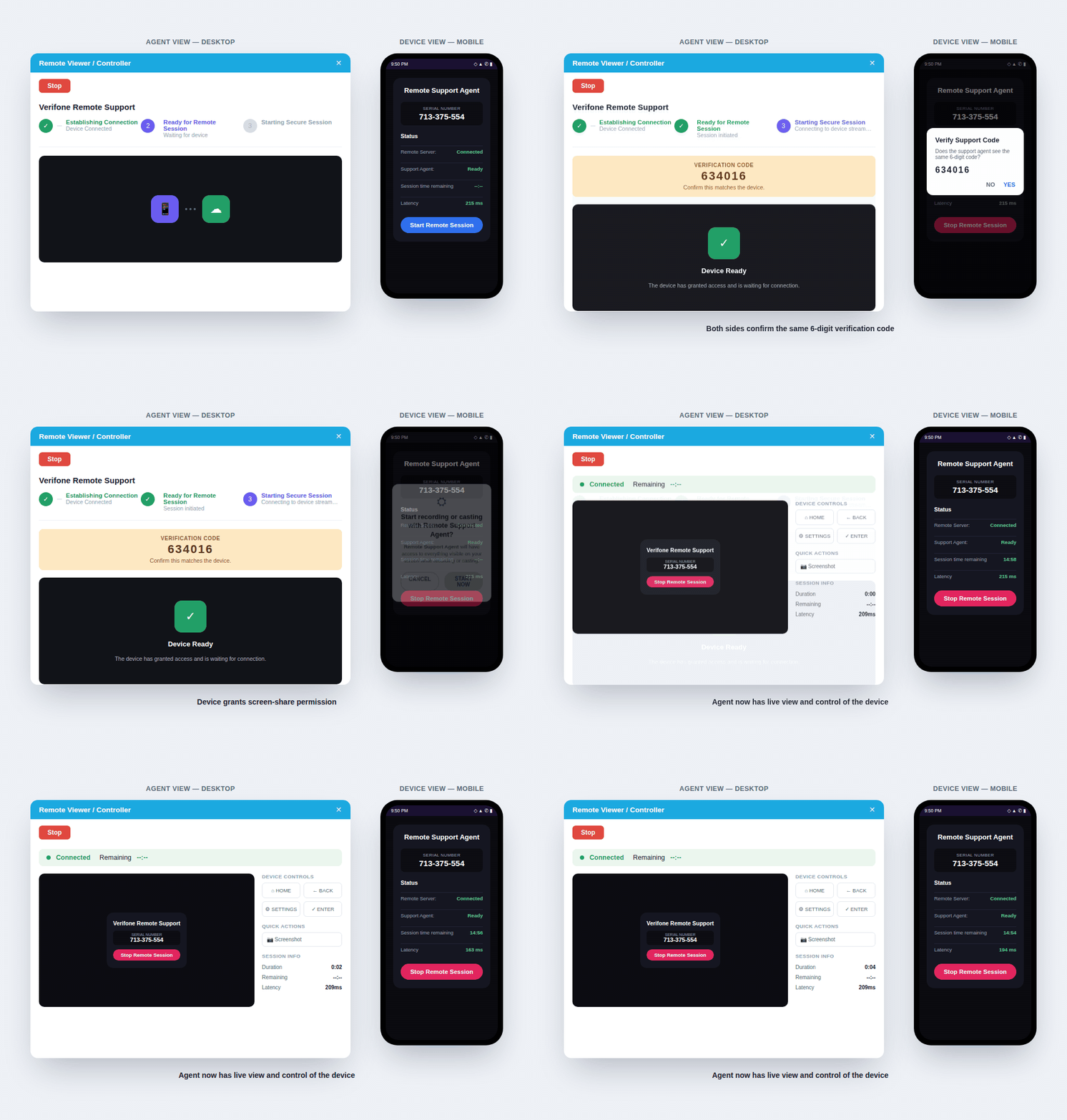
Remote Device Control puts your agent in front of the terminal without being on-site. See what the user sees, take control when needed, and resolve eligible issues directly — all through a secure, consent-based session.
Fewer back-and-forth calls. Fewer unnecessary dispatches. Faster resolution.

Everything you need to troubleshoot and resolve remotely
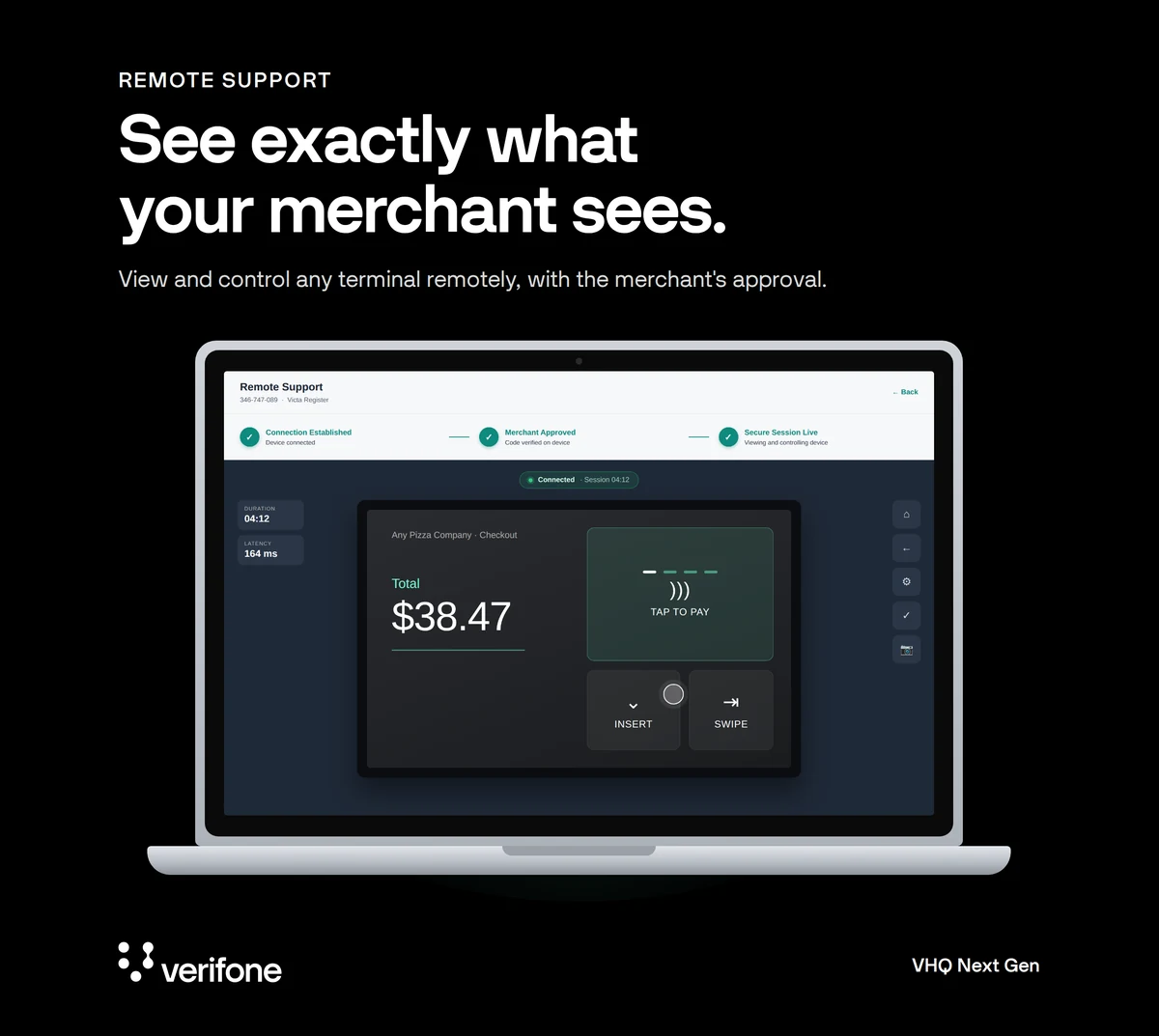
- See the issue firsthand: View the terminal screen live, so your agent sees exactly what on-site staff sees as it happens.
- Take control from anywhere: Navigate menus, adjust settings, and take action directly on the device.
- They see the issue firsthand: The terminal screen appears live, eliminating the need to recreate the problem over the phone.
- They take action: The agent navigates the device, investigates settings, and addresses eligible issues directly.
- The terminal gets back to business: Resolve eligible issues without an unnecessary site visit or device return.

From support to call resolution, without being on-site
Remote support that scales with your estate
When your help desk can see and act on a terminal remotely, the impact goes beyond a faster support call. Across a large payment estate, it can change how issues are resolved and where your resources are spent.
- Resolve more on the first call: Give agents a better chance to take an issue from diagnosis to resolution in a single interaction.
- Reduce unnecessary field service: Keep technicians focused on issues that actually require someone on-site.
- Avoid preventable device returns: Troubleshoot remotely before taking a terminal out of service or starting a return cycle.
- Scale suport across your estate: Give centralized teams a more efficient way to support devices across merchants, stores, and regions.
- Turn support into a training opportunity: Walk on-site teams through workflows while working directly with the device.
See Remote Device Control in action
See how your help desk can diagnose, troubleshoot, and resolve more terminal issues remotely.
Frequently Asked Questions
Yes. The same six-digit code appears on the agent's screen and the terminal, and the merchant confirms it and grants screen sharing before anything is visible.
See exactly what's on the terminal's screen, navigate it directly (home, back, settings, enter), and capture screenshots to document the issue.
Yes. Either the agent or the merchant can end it with one tap. Sessions are also time-limited, with the remaining time shown on both sides.
The terminal runs a lightweight remote support app that handles the secure connection, and you can manage it like any other app on your estate.